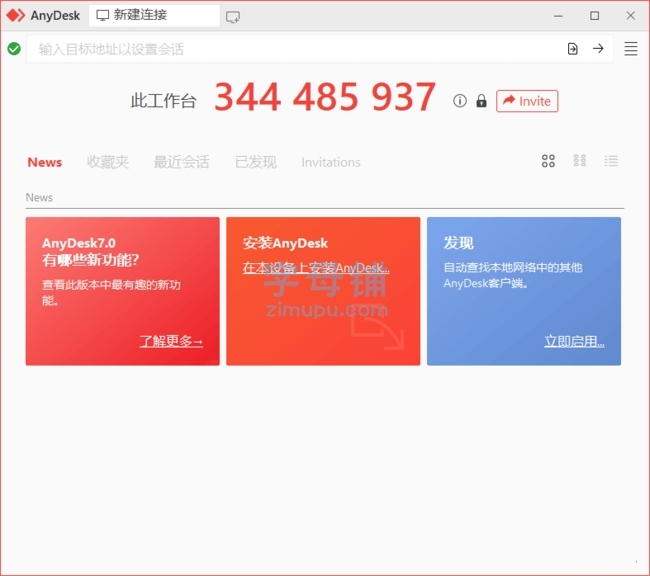
AnyDesk是一款跨平台远程桌面控制软件,它支持Windows、MacOS、Linux和Android系统。

软件功能
远程桌面控制:用户可以远程访问其他计算机或移动设备,以便在远程协作、支持和教授的过程中实时查看和控制对方的屏幕。
文件传输:AnyDesk支持快速、安全的文件传输功能,用户可以在两台设备间快速传输文件,减少工作时间。
会话录制:用户可以录制远程会话,以便后续查看或用作培训教程。
多平台支持:AnyDesk可以在多种操作系统上运行,包括Windows、macOS、Linux、iOS和Android。
软件特点
极速连接:AnyDesk拥有优秀的连接速度,轻量级的设计可确保远程会话实时性和流畅性。
安全保障:AnyDesk采用银行级的加密技术,确保数据传输的安全性,可以安全地远程访问设备。
高度兼容性:AnyDesk与大多数主流操作系统和设备兼容,用户可以灵活地在不同平台间建立远程连接。
简单易用:AnyDesk简单易用,无需复杂的设置和安装步骤,用户可以快速轻松地建立远程会话。
更新日志
AnyDesk – Version History
https://download.anydesk.com/changelog.txt
04.05.2026 – 9.7.2 (Windows)
New Features:
– In the AnyDesk One Meeting feature, selecting different audio or video devices in the device settings now takes effect immediately, there is no need to unmute or re-enable them
– In the AnyDesk One Meeting feature, configuring an audio or video device by selecting it in the device settings configures it persistently so that when it is plugged in again at a later time, it will be switched to automatically
– All audio and video settings for the AnyDesk One Meeting feature have been moved from Preferences to the in-meeting device settings for easier access
– In the AnyDesk One Meeting feature, added a new slider that allows users to configure microphone boost, enabling precise control over microphone loudness
– During an AnyDesk One meeting that was initiated from the AnyDesk One Chat feature, a chat panel can now be shown by pressing the chat button in the meeting panel
– The AnyDesk One Meeting supports more webcams
– In the AnyDesk One Meeting feature, improved automatic webcam resolution and frame rate selection to better match 720p at 30 FPS
Fixed Bugs:
– Fixed a crash that occurred during installation when a printer driver was present
– Fixed a typo in a permission name used in command-line options
– Fixed a user interface issue in AnyDesk One settings
– Fixed an issue in the AnyDesk One Meeting where unplugging audio or video devices caused them to become unusable
– Fixed a bug in the AnyDesk One Meeting where connecting a second webcam could disable the active one
– Fixed inconsistent theming in the meeting sidebar when dark mode was enabled


评论前必须登录!
注册