IrfanView是一个免费的图像浏览器、编辑器和转换器,支持广泛的图像格式。
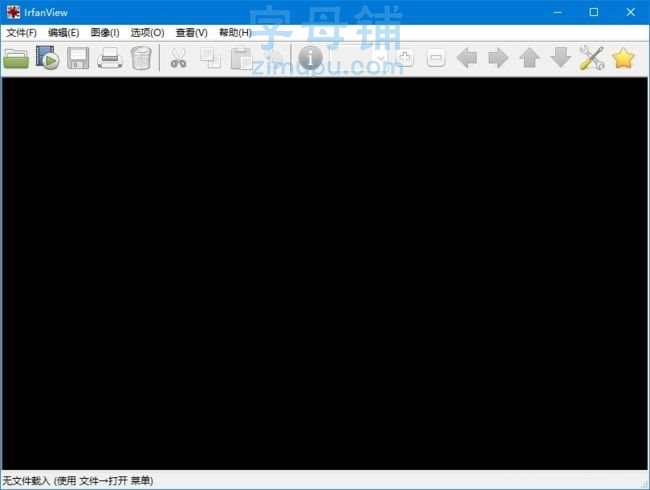
软件功能
1. 支持多种图像格式,包括BMP、GIF、JPEG、PNG、TIFF和ICO等。
2. 可以浏览、编辑和转换图像。
3. 支持批处理转换和重命名。
4. 可以对图像进行基本的编辑,如裁剪、旋转、调整大小、调整亮度和对比度等。
5. 可以添加文本、箭头、图形和其他对象到图像中。
6. 提供基本的绘图工具,如画笔、橡皮擦和填充工具。
7. 可以进行屏幕捕捉和录制。
8. 可以浏览和播放视频和音频文件。
9. 支持插件,可以增强软件的功能。
软件特点
1. 界面简洁易用,支持多语言。
2. 软件体积小,启动速度快。
3. 支持热键操作,提高工作效率。
4. 提供多种显示模式,如全屏显示和幻灯片播放等。
5. 可以在图像上添加注释和标记,方便分享和交流。
6. 支持批量操作,可以快速处理大量的图像。
7. 可以通过插件实现更多的功能,如图像特效和滤镜等。
更新日志
IrfanView – Version History
https://www.irfanview.com/main_history.htm
下载地址
IrfanView(免费图像浏览器编辑器) v4.76 中文绿色版
版权声明:本文采用知识共享 署名4.0国际许可协议 [BY-NC-SA] 进行授权
文章名称:《IrfanView(免费图像浏览器编辑器) v4.76 中文绿色版》
文章链接:
https://www.zimupu.com/4750.html
免责声明:根据《计算机软件保护条例》第十七条规定“为了学习和研究软件内含的设计思想和原理,通过安装、显示、传输或者存储软件等方式使用软件的,可以不经软件著作权人许可,不向其支付报酬。”您需知晓本站所有内容资源均来源于网络,仅供用户交流学习与研究使用,版权归属原版权方所有,版权争议与本站无关,用户本人下载后不能用作商业或非法用途,需在24个小时之内从您的电脑中彻底删除上述内容,否则后果均由用户承担责任;如果您访问和下载此文件,表示您同意只将此文件用于参考、学习而非其他用途,否则一切后果请您自行承担,如果您喜欢该程序,请支持正版软件,购买注册,得到更好的正版服务。
本站是非经营性个人站点,所有软件信息均来自网络,所有资源仅供学习参考研究目的,并不贩卖软件,不存在任何商业目的及用途,网站会员捐赠是您喜欢本站而产生的赞助支持行为,仅为维持服务器的开支与维护,全凭自愿无任何强求。












评论前必须登录!
注册